Create a website without coding (a calm guide for non-technical professionals)
If you want to create a website without coding, you probably do not want a new hobby called “website maintenance”.
You want a clear page online fast. And you want to keep it updated without stress.
Most advice about “no-code” misses that. It focuses on tools. What you actually need is a workflow.
Most “no-code” tools still demand too much
For many professionals, the hard part is not code. It is everything around it:
- picking a template
- deciding layouts and sections
- adjusting spacing, colors, fonts
- figuring out domains, hosting, publishing
- keeping it updated without breaking things
So you end up spending energy on decisions that do not move your work forward.
If this feels familiar, read this next: Why “no-code” still feels complicated.
A calmer workflow: describe, review, publish
Publio is built around conversation, not configuration.
You message Publio on WhatsApp or Telegram, describe what you do, and it turns that into a clean website draft. Then you refine it by asking for changes in plain language.
A typical flow looks like this:
- Message Publio.
- Answer a short interview about your business and offer.
- Review the first draft.
- Request edits in plain language.
- Publish when it feels right.
No dashboards. No plugins. No deployment steps.
Example: from idea to live page
Your first message can be simple:
I help expats in Stockholm find rental apartments fast.
I want a one-page site with a WhatsApp CTA.
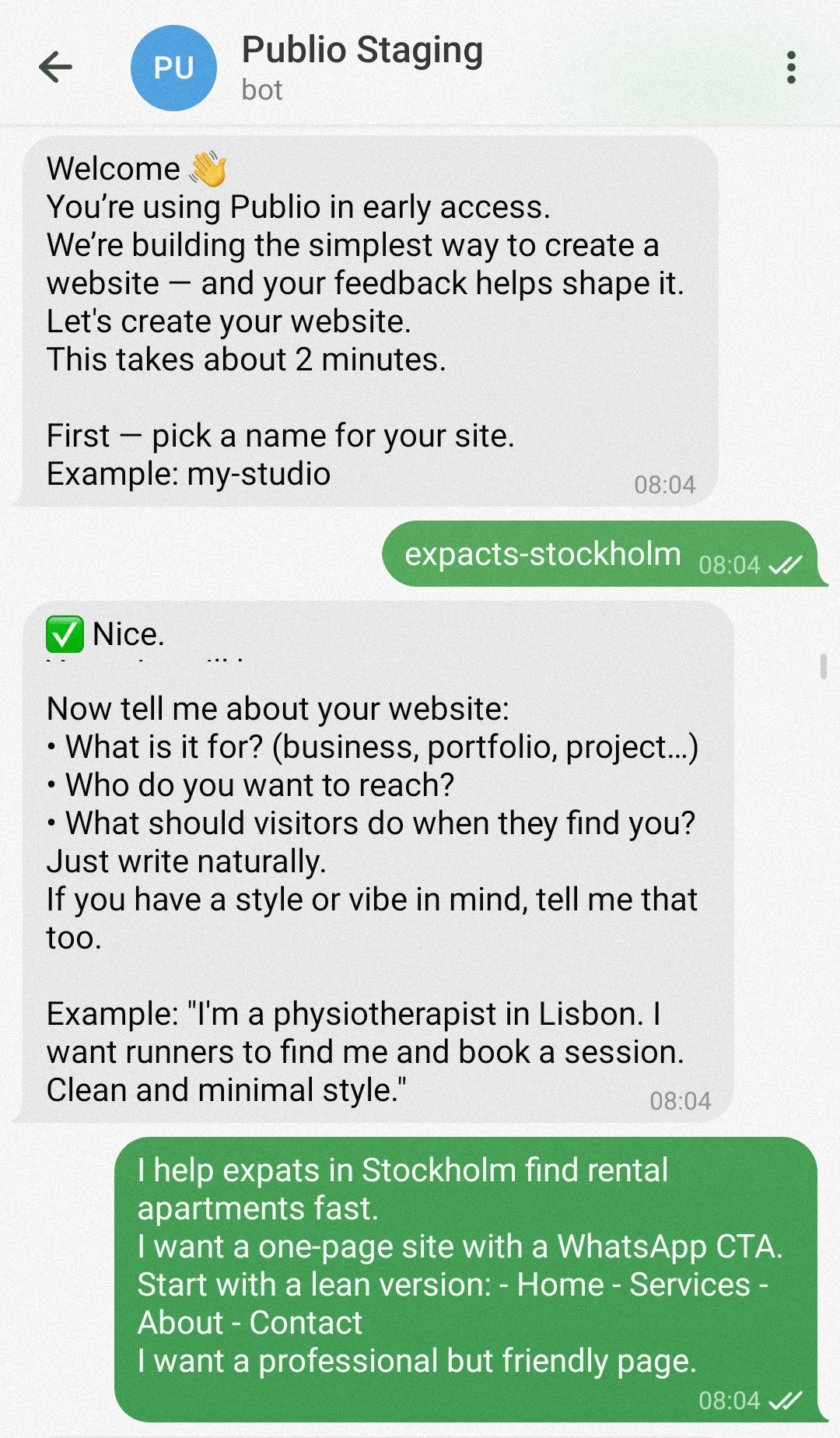
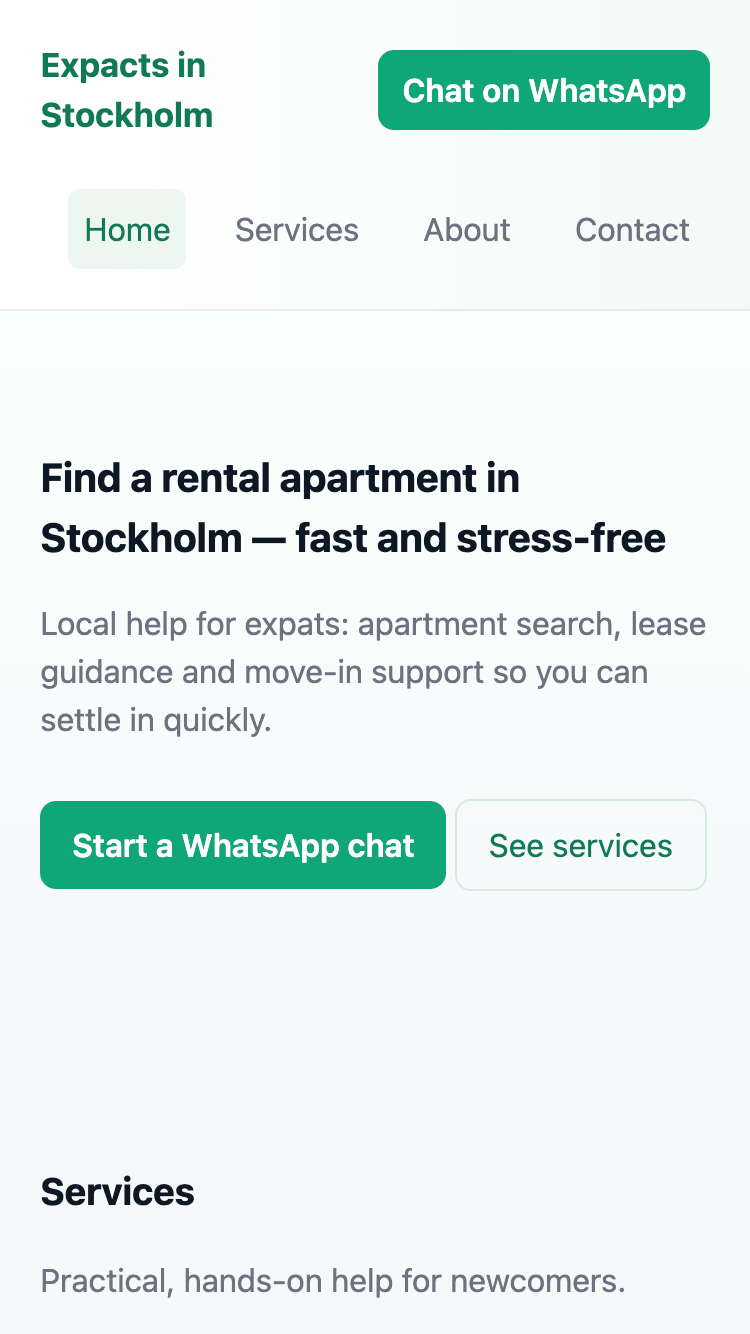
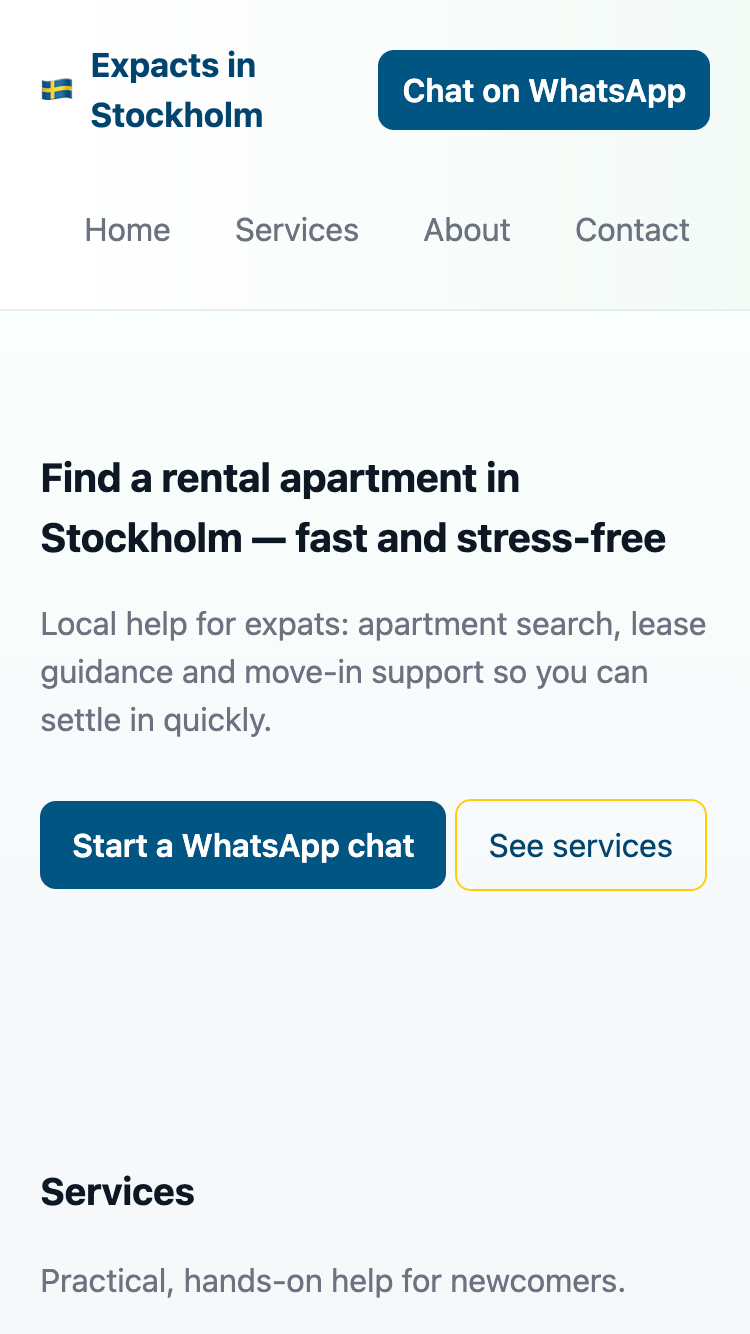
Publio will ask follow-up questions, generate the draft, and you can say things like:
- “Make the headline more direct.”
- “Add a pricing section.”
- “Move the WhatsApp button higher.”
- “Make it feel more calm and minimal.”
That is the whole point: you stay in control, without needing to learn a tool.
What to publish first
Start lean. You can always expand later.
A strong first version is usually:
- Home (what you do, who it is for, and the main action)
- Services (or offers)
- About (why you, in a few lines)
- Contact (one clear way to reach you)
Then improve based on real questions people ask you. That beats polishing for weeks in a vacuum.
If you want a more structured checklist, see: The simplest website setup: what you actually need (and what you don’t).
Common mistakes to avoid
- Waiting for perfect branding before publishing.
- Tuning layouts before your message is clear.
- Adding advanced pages before basic trust is covered.
- Choosing a setup where small edits feel technical.
If your worry is long-term maintenance, read: Create a website without WordPress. If your main pain is updating quickly, go here next: How to update your website without a developer.
The one rule that makes this work
If creating or updating your website feels heavy, the system is wrong.
A good setup makes small changes feel boringly easy.